How to use homebrew?
Register on https://wanderersguide.app
Go to https://wanderersguide.app/homebrew and find "Allods" bundle there, and subscribe.
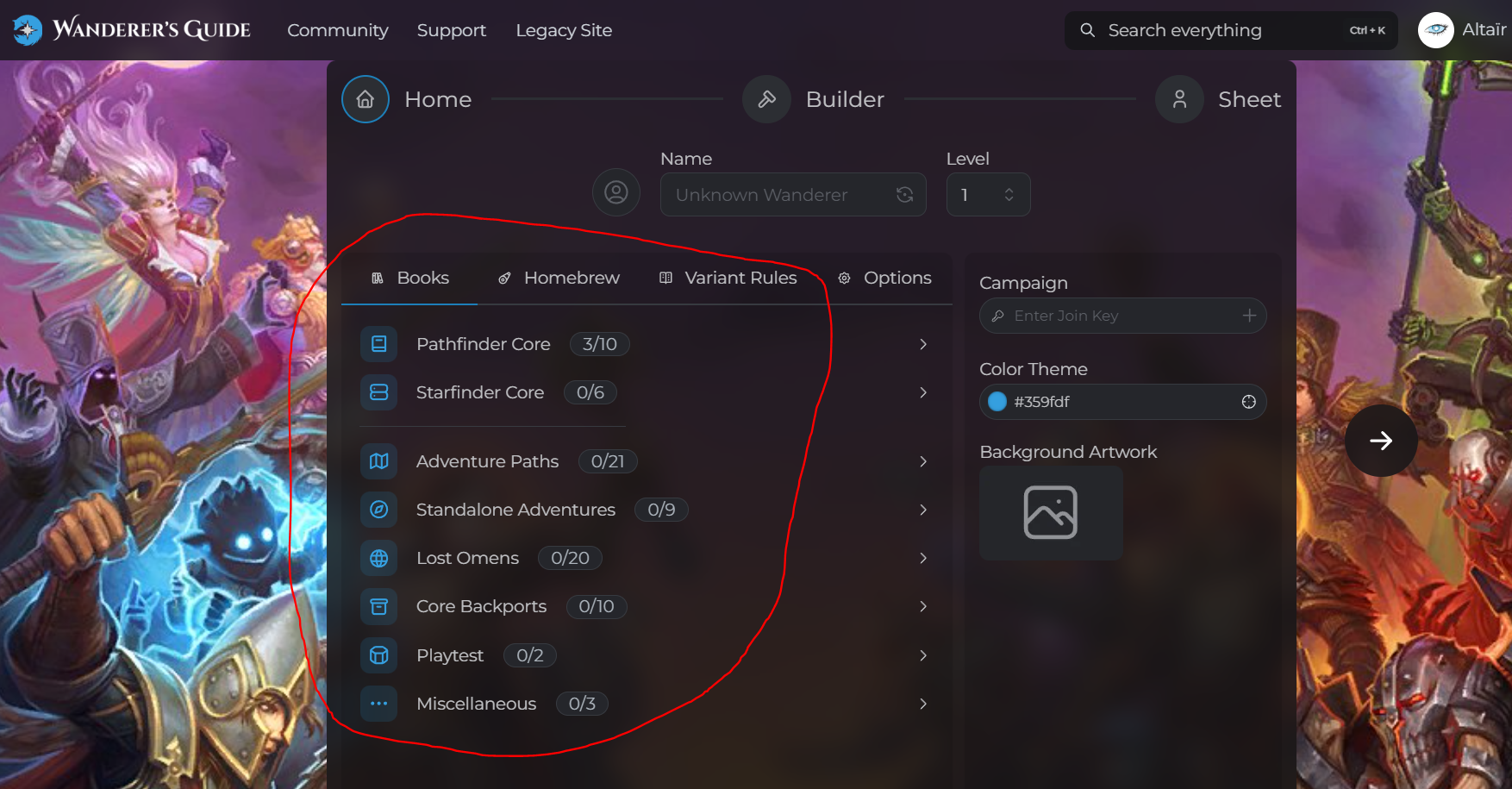
When creating your character, do not forget to tick all of the official book options (except for Starfinder 2e), the Allods bundle, and our Variant Rules (see the screenshot below to find where do you need to tick the options.)
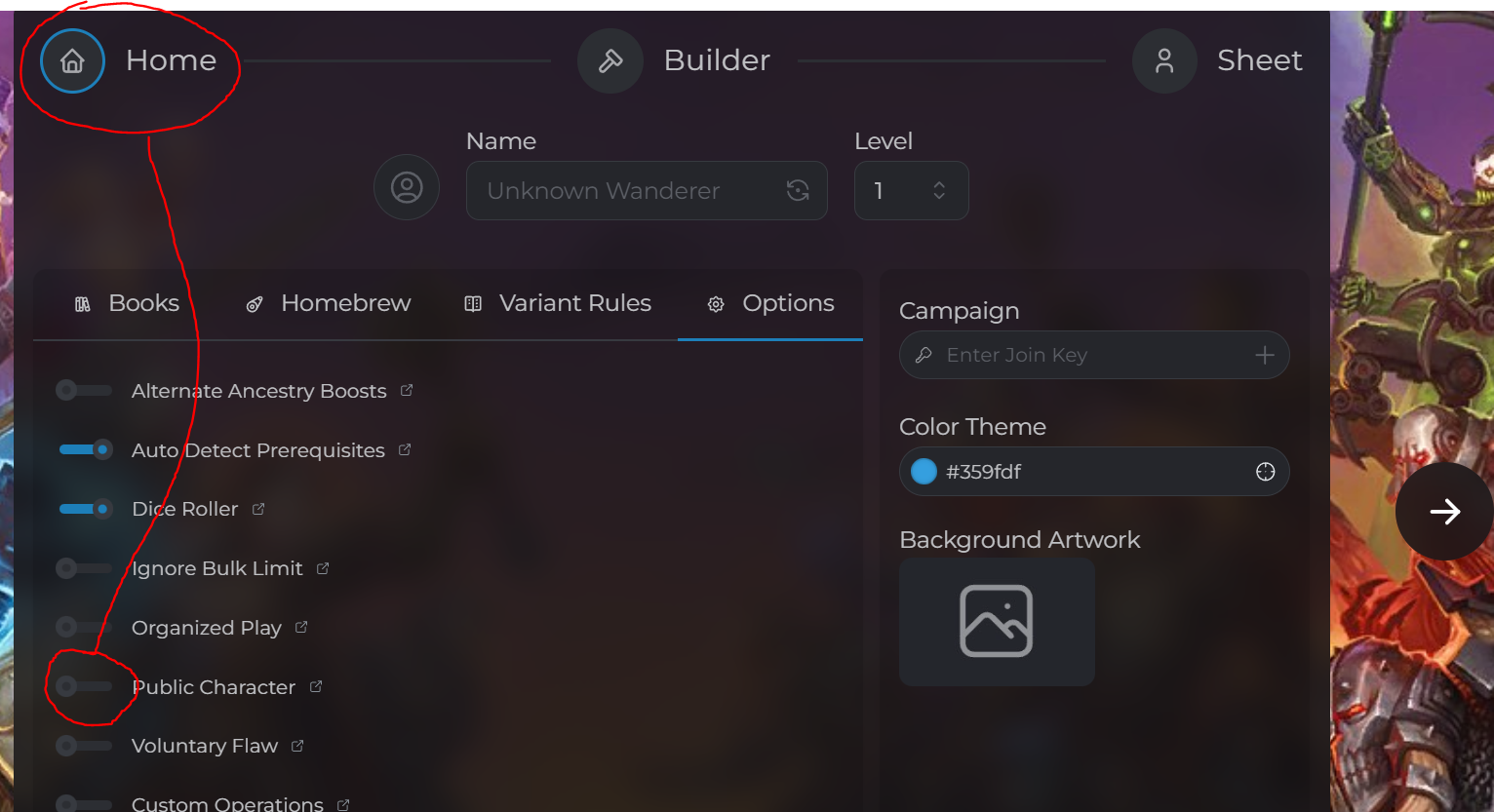
To share your character sheet, just open up your character and copy the link from the browser address line. Don't forget to make your character sheet Public (see the 2nd screenshot.)
I don't have some of the options available, what to do? Try to exit the Builder to the characters page (it autosaves, don't worry) and then click on Continue Building. If it doesn't work, contact Aztec.