Using tags is a great way to create a navigation system of specific pages that aren't necessarily linked in the Page/Subpage manner. This is extremely useful if you want to tag pages about specific characters, locations, mentions or references. It allows you to link pages that otherwise wouldn't necessarily be linked to one another.
Adding tags to a page:
Open the right-hand sidebar.
Click "Add Block"
Select "Tags"
Click inside the new tags area and either type the tag you want to add and click "add tag" or search through existing tags and click the word to add it as a tag.

Creating a Tag Menu
On the page you want to add a tag index, click on the page and type "/tag" and select "Tag Index".
In the panel that populates, hover over the left-side corner to bring up the menu.

Click the menu icon and click "Edit tags" in the pop-up panel.
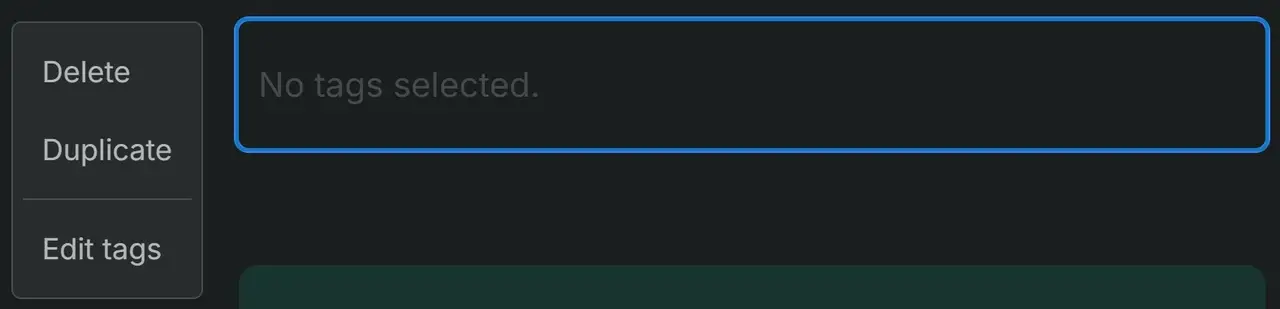
Here you can add tags or select tags you created previously.

Any time you add a tag to a page, it will appear in the list. For our example, we'll use the tag "Explored" and "Uncharted".
NOTE: If you pick multiple tags for an index, only pages that have all the tags you selected will appear in the list.
Explored
Uncharted
No matching pages