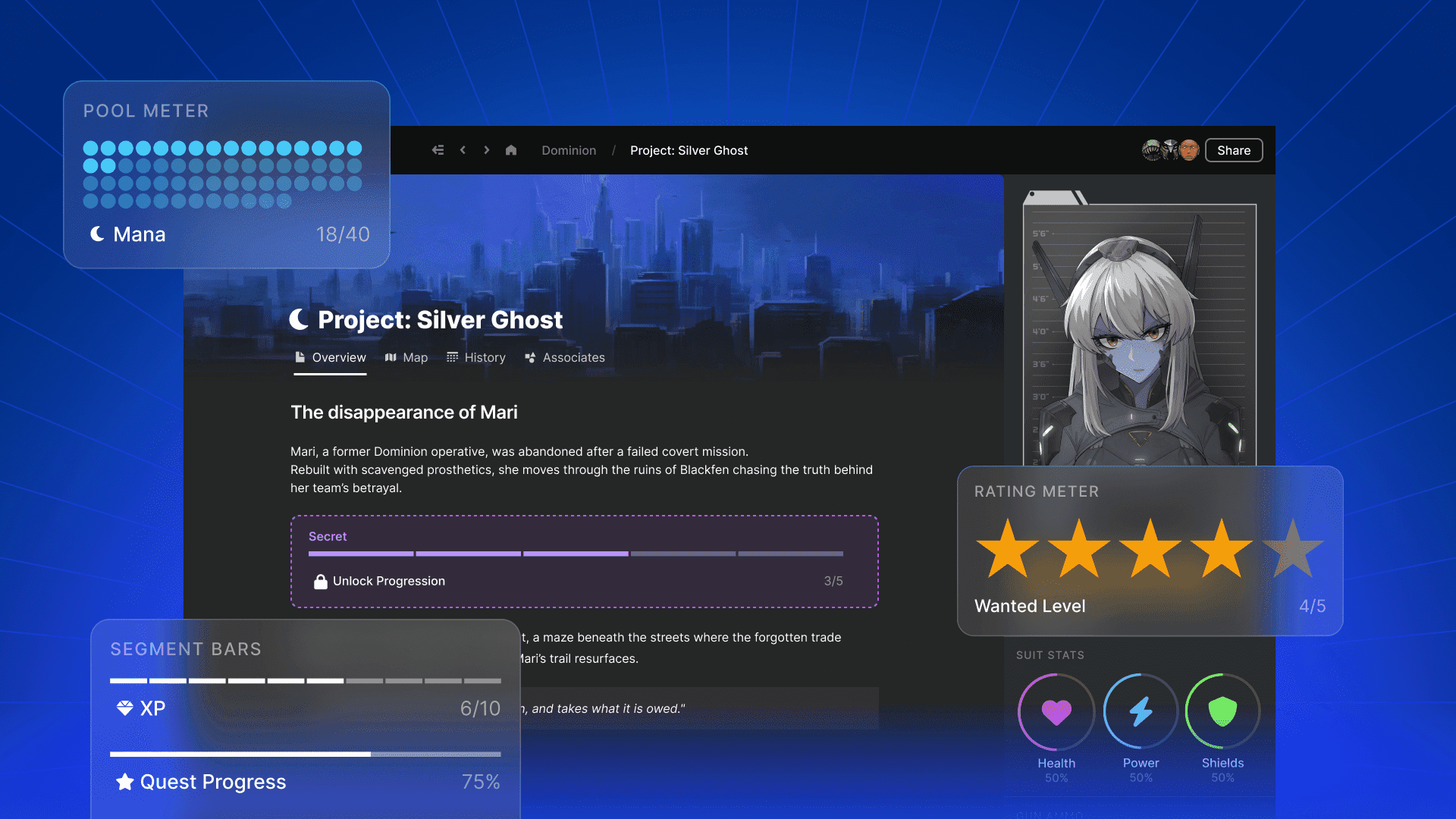
Have you ever wanted to easily track key elements for your tabletop roleplaying game - both during preparation and mid-session, all without sacrificing clean and crisp visuals?
LegendKeeper’s meters feature allows you to do just this, all amongst the maps, questlines, history, and character pages for your Dungeons & Dragons/TTRPG campaign.
From character statistics to enemy hit points to group resources, the meters feature enables you to easily create and edit a wide variety of tracking meters that can be incredibly useful and still look really good - there’s no boring spreadsheets or tables here.
This means that you can have your cake and eat it too, thanks to having both form and function.
Why would you want to track anything?
Though far from the most exciting element of worldbuilding and campaign management, meters are nevertheless an incredibly useful tool to include in your tabletop RPG creations.
Meters can be used to keep track of some necessities and help you to better run the game system, meaning that you can focus on the storytelling and the character interactions instead. By implementing meters, you can make your players’ character sheets immediately interactable, create meters to help track player progress, or simply have meters that make running DnD/Pathfinder/Shadowrun/other RPG easier.

What are the different types of meters you can make with LegendKeeper?
With the LegendKeeper RPG tracking system, there are multiple types of meters to create depending on what functionality the game master wants to use them for and the visual style that they favor.
- Bars: horizontal bars with options for either segmented or smooth forms.
- Circles: Full circles that can be separated into segments for tracking.
- Gauges: Choose between half-circles and three-quarter circles.
- Pools: A bar of dots that fills up as you increase the current amounts.
- Ratings: Can switch between icons to represent different elements to track.
How do you create a meter in LegendKeeper?
Adding a new meter into your LegendKeeper fantasy RPG wiki is very straightforward.
You can type / into an empty block on a wiki page to bring up the drop down menu, then scroll down to select a type of meter to add into the page.
Editing your meter is also really easy to do:

You can click on the names of each meter element to change what it’s called (i.e. what it’s measuring). Changing the amounts of each meter is as simple as clicking where you want the meter to fill up to. You can change the colour for each meter by right clicking on the meter and selecting from the drop down menu.
There are three different visual styles you can choose from when creating your meters, each one offering a slightly different twist on the look of the meter. You can choose from a variety of icons to represent separate elements that the meters are tracking: from hit points to armor class to coin amounts.
You can easily add a new meter to your current block by right-clicking on it and selecting + Add Meter. You can also duplicate an existing meter very easily by right-clicking on a meter and selecting Duplicate.
Which meter is best for measuring what element?
Each of the different meters available in LegendKeeper is better for measuring a different kind of tabletop game element.
The gauge, semi-circle, and circles are all brilliant for measuring elements like player and NPC statistics during gameplay
The bar is better for tracking various forms of progress - from enemy health to item collection.
The pool meter is ideal for tracking all sorts of resources, such as money and food.
A rating meter is much better for monitoring the strength or quality of something, like the quality of a weapon being sold in a local shop.

What are some examples of meters you can create in LegendKeeper?
Here are some examples of meters you could create in LegendKeeper:
- Track the statistics of your player group whilst running your game.
- Monitor the status of a mercenary ally group.
- Keep track of the structural strength of a castle that’s under siege.
- Manage player progress through a challenge dungeon.
- Keeping tabs on how far a horde attack has gotten.
- Rating the player group’s relationship with a non-player character or faction.
- How close players are to gathering enough money to buy their own house.
Join LegendKeeper to start making and editing high quality meters for your own world and campaign.